Auto Support & Resistance
Custom IndicatorsAutomatically draws swing high and swing low zones and round-number levels on your chart, with alerts when a candle closes outside a zone.
The Logic & Theory
Support and Resistance describe price areas where the market has reacted before. Support is a level where buying interest has been strong enough to slow or stop a fall, while resistance is the opposite. Many traders watch historical swing highs and lows (peaks and troughs) and round numbers (for example 1.1000 or 50,000) because price has often paused or turned there. When a candle closes beyond such an area, some traders treat it as a breakout, but breakouts can also fail and reverse, so they are best confirmed with your own analysis and risk management.
How Our Custom Tool Helps
Drawing levels by hand is subjective and tedious. This Pine Script v6 indicator marks confirmed swing highs as red resistance zones and confirmed swing lows as green support zones, and extends them to the right as clean boxes. The zone thickness is based on ATR, and a sensitivity setting (Scalping, Intraday, Swing or Custom) controls how large a swing must be. It also draws round-number levels with an automatic or manual step. When a candle closes outside a zone, the zone turns grey, a triangle is plotted, and an alert can fire. A zone appears only after its swing is confirmed by closed candles (5, 10 or 20 depending on sensitivity), so it shows up that many candles after the swing itself. Once drawn, its price does not change. When the maximum number of zones is reached, the oldest zone is removed from the chart. The indicator marks areas on your chart. It is not a trading signal or financial advice.
Interactive Demo: See the Difference
Drag the slider left and right to see how this tool transforms your chart.
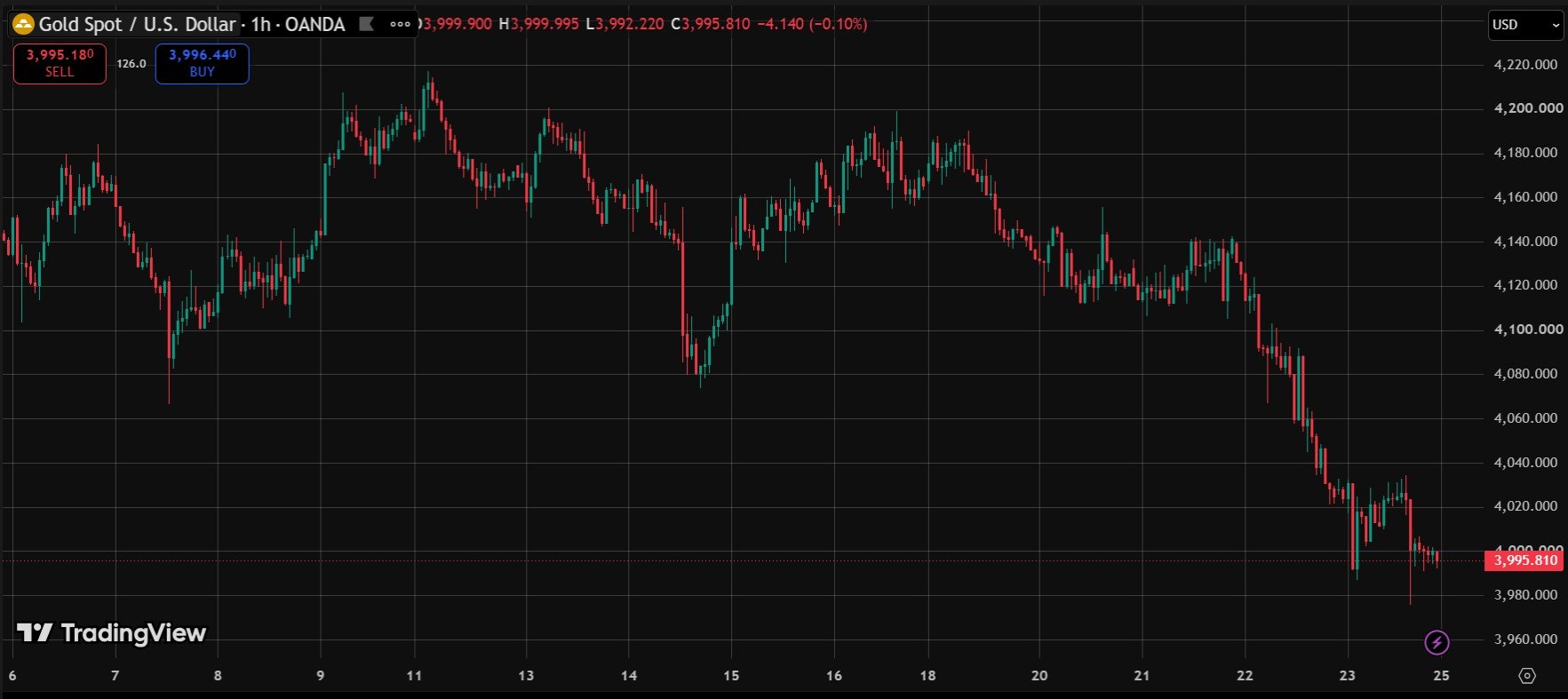
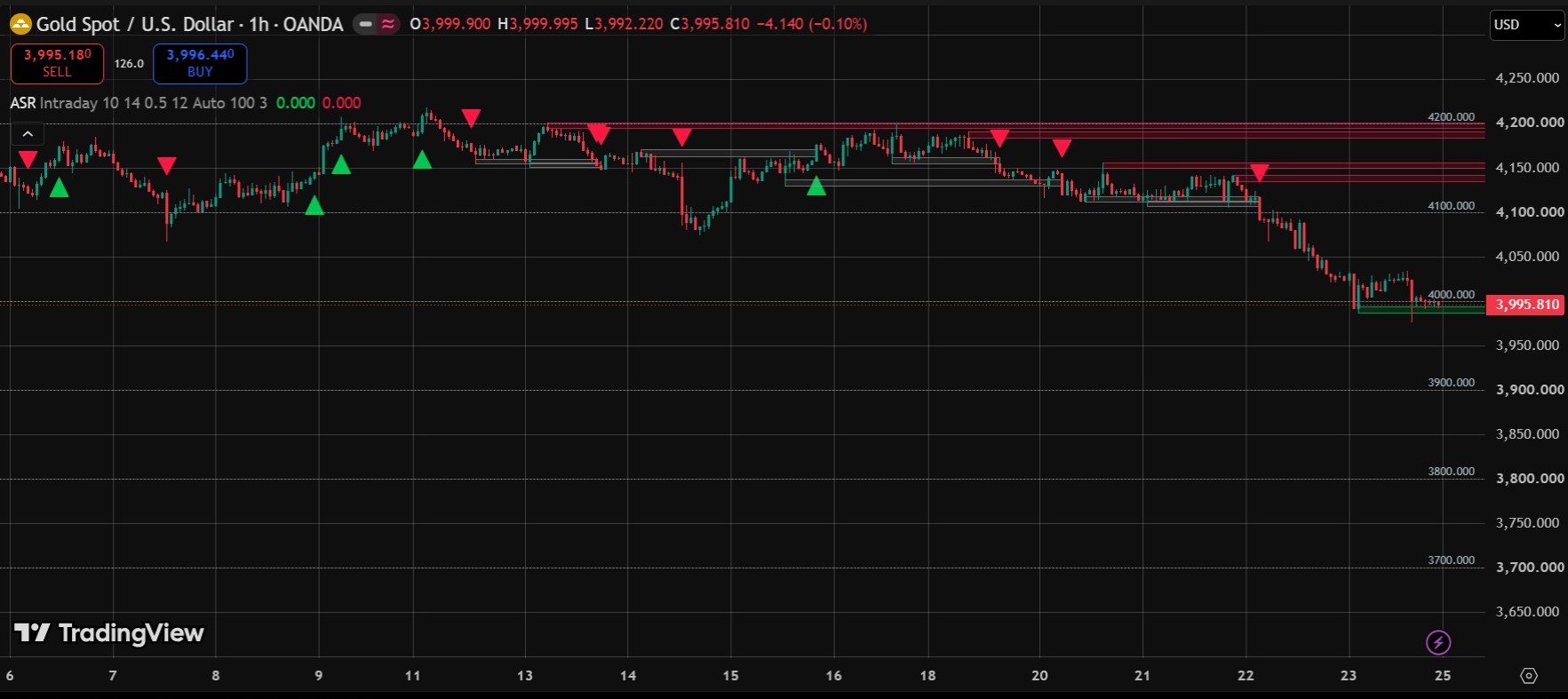
Real screenshots from a live TradingView chart. For education only, not a trading signal.
Premium Features & Alerts
- Swing high and swing low zones drawn automatically (resistance in red, support in green)
- Round-number levels with an automatic or manual step
- Sensitivity presets: Scalping, Intraday, Swing or Custom
- Breakout alerts when a candle closes outside a zone, plus round-level cross alerts
- Zones appear after the swing is confirmed and their price never changes, so they do not repaint
- Works on any symbol available in TradingView
Frequently Asked Questions
How does it find support and resistance zones?
It uses confirmed swing highs and swing lows. A swing needs 5, 10 or 20 candles on each side, depending on the sensitivity you choose. The zone thickness is based on ATR.
Does Auto Support & Resistance repaint?
No. A zone appears only after its swing is confirmed, and its price never changes afterwards. When the Max Zones limit is reached, the oldest zone is removed from the chart.
What counts as a breakout?
A breakout happens when a candle closes outside a zone. The zone then turns grey, a triangle is plotted and an alert can fire.
How are the round-number levels chosen?
The step is chosen automatically from the price size, for example 100 for Gold near 4000 and 0.01 for EURUSD near 1.10. You can also set your own step.
Want This Custom Script?
Get this indicator installed on your TradingView/MT5, or let us build a completely custom strategy just for you.
Size Your Trades Properly
More Custom Indicators & Scripts
5-in-1 Pro Trend Confluence + MTF Dashboard
Trend, momentum and volatility in one clean indicator: 50 & 200 EMA, RSI, MACD and ATR, plus a trend dashboard for the 5m, 15m, 1H and 4H timeframes.
Smart Money Concepts (SMC) Pro Indicator
Automatically marks Order Blocks, Fair Value Gaps (FVG) and Liquidity Sweeps on your TradingView chart, with zone-touch alerts and an optional higher-timeframe filter.
Multiple Indicator Merge
A custom-coding service: we combine several of your indicators, for example EMA, RSI and MACD, into one TradingView script.