Smart Money Concepts (SMC) Pro Indicator
Custom IndicatorsAutomatically marks Order Blocks, Fair Value Gaps (FVG) and Liquidity Sweeps on your TradingView chart, with zone-touch alerts and an optional higher-timeframe filter.
The Logic & Theory
Smart Money Concepts (SMC) is a way of reading price that is built on the idea that large players, such as banks and funds, leave traces on the chart. It is a popular but discretionary method, and the belief that these traces can be identified reliably is an idea of its followers, not a proven fact. The three building blocks used here are: an Order Block, the candle where a strong move started, which price sometimes revisits; a Fair Value Gap (FVG), a three-candle price gap where one side of the market moved too fast to trade evenly; and a Liquidity Sweep, a wick that pushes beyond an obvious swing high or low and then closes back inside it. Traders study these areas as places where price may react, but they can fail like any other level.
How Our Custom Tool Helps
Marking these areas by hand is slow and inconsistent. This Pine Script v6 indicator does it with fixed, written rules. It confirms swing highs and lows (10 candles on each side by default). When a candle closes beyond the latest swing, it marks an Order Block: the candle with the lowest low (bullish) or highest high (bearish) between that swing and the breaking candle. It also marks Fair Value Gaps (three-candle gaps of at least 0.5 ATR), and Liquidity Sweeps (a wick beyond the swing that closes back inside). Zones stay on the chart until a candle closes beyond their far edge or the Max Zones limit (10) removes the oldest one. Only the latest 5 Liquidity Sweeps stay on the chart. Multi-Timeframe Confluence compares the last closed candle of a higher timeframe (4H by default) with its 50 EMA. Zones that agree with that trend get a thicker border and an HTF tag, and you can choose to show only those. Everything is checked when a candle closes, so a drawn zone never moves or disappears because of later price action. Swings need 10 closed candles to confirm, so zones appear after that delay. Other SMC tools may define these areas differently. The indicator marks areas on your chart. It is not a trading signal or financial advice.
Interactive Demo: See the Difference
Drag the slider left and right to see how this tool transforms your chart.
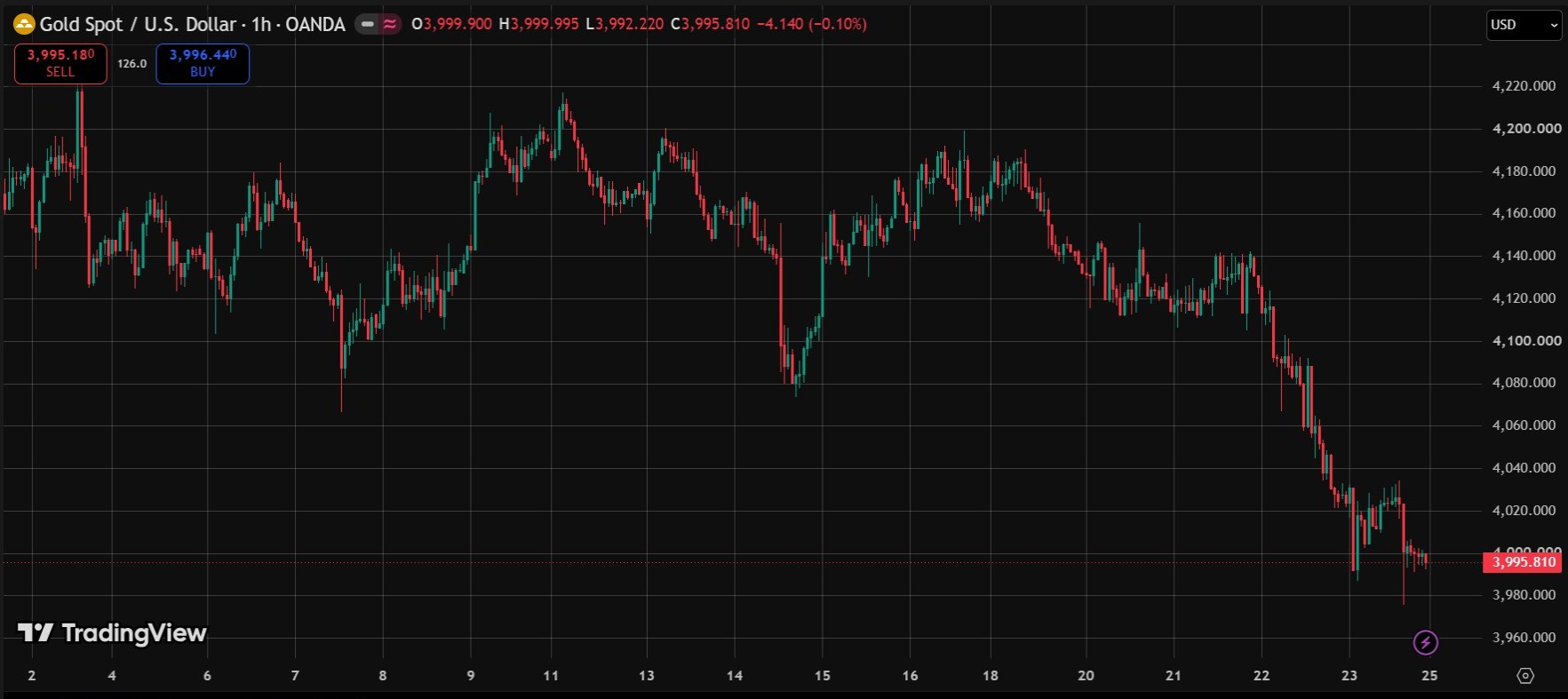
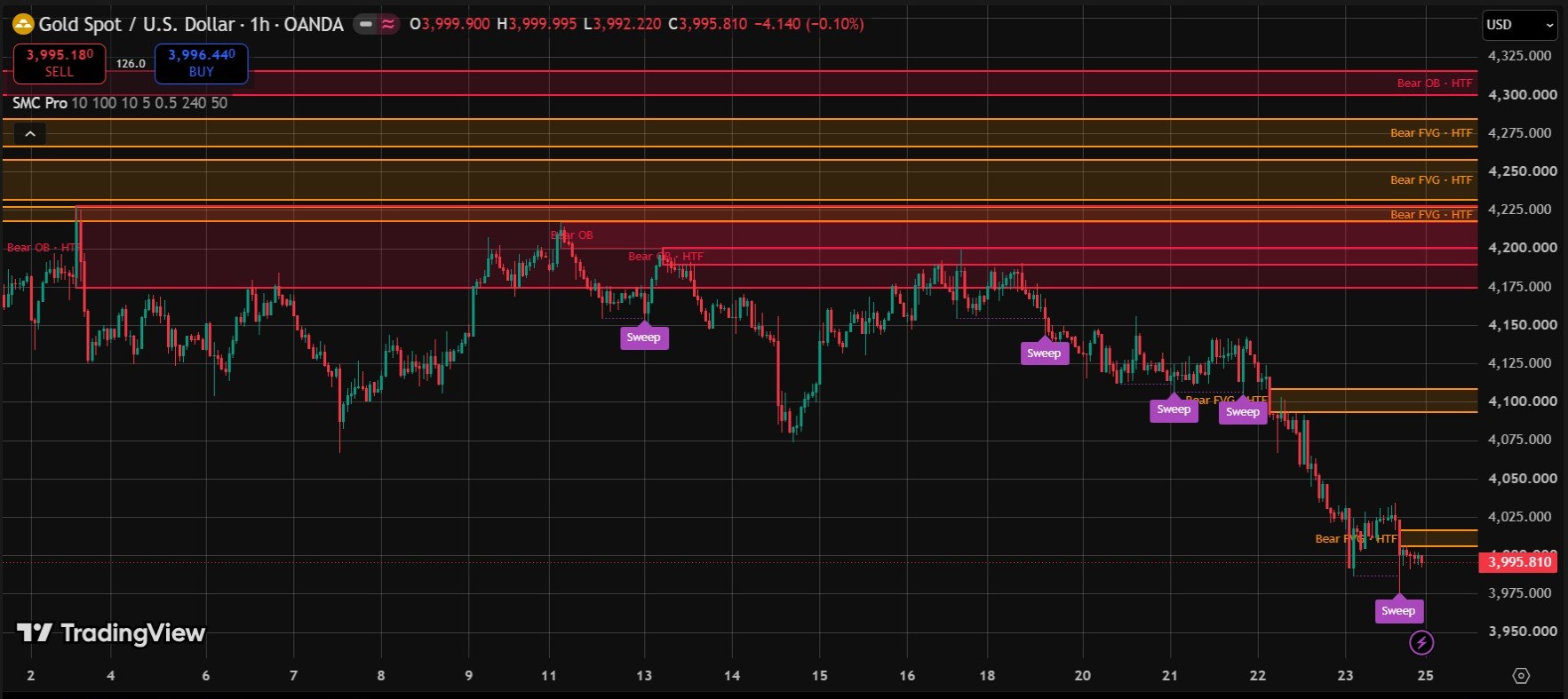
Real screenshots from a live TradingView chart. For education only, not a trading signal.
Premium Features & Alerts
- Bullish and bearish Order Blocks drawn as zones
- Fair Value Gaps with an adjustable minimum size (x ATR)
- Liquidity Sweep marks when a wick beyond a swing closes back inside
- Optional higher-timeframe filter (4H trend by default) with an HTF tag on aligned zones
- Alerts when price first touches an Order Block or FVG, and when a Liquidity Sweep happens (7 alerts in total)
- Zones are removed once price closes through them, or kept in grey if you prefer
- Checked on closed candles only, so drawn zones do not repaint
- Works on any symbol and timeframe available in TradingView
Frequently Asked Questions
What is an Order Block in this indicator?
After a candle closes above the latest confirmed swing high, the bullish Order Block is the candle with the lowest low between that swing high and the breaking candle. The bearish Order Block is the mirror image. The zone covers that candle's high to low.
What is a Fair Value Gap (FVG)?
A Fair Value Gap is a three-candle gap. In a bullish FVG, the low of the third candle is above the high of the first candle. The indicator draws the gap as a zone if it is at least 0.5 ATR in size, and you can change that minimum.
Does the SMC Pro indicator repaint?
No. Everything is evaluated when a candle closes. Swings are confirmed after 10 closed candles by default, so zones appear after that delay, and a drawn zone never moves. A zone is only removed when price closes through it or when the Max Zones limit removes the oldest one.
What does the higher-timeframe filter do?
It compares the last closed candle of a higher timeframe (4H by default) with its 50 EMA. Zones that agree with that trend get a thicker border and an HTF tag. You can also choose to show only those zones.
Which alerts does it include?
It has 7 alert conditions: bullish and bearish Order Block touched, bullish and bearish FVG touched, bullish and bearish Liquidity Sweep, and one for any SMC event. Alerts fire when the candle closes.
Want This Custom Script?
Get this indicator installed on your TradingView/MT5, or let us build a completely custom strategy just for you.
Size Your Trades Properly
More Custom Indicators & Scripts
5-in-1 Pro Trend Confluence + MTF Dashboard
Trend, momentum and volatility in one clean indicator: 50 & 200 EMA, RSI, MACD and ATR, plus a trend dashboard for the 5m, 15m, 1H and 4H timeframes.
Multiple Indicator Merge
A custom-coding service: we combine several of your indicators, for example EMA, RSI and MACD, into one TradingView script.
Multi-Timeframe Trend Dashboard
See the EMA and MACD trend of 4 timeframes (M15, H1, H4 and D1 by default) in one small table on a single chart.