Multi-Timeframe Trend Dashboard
DashboardsSee the EMA and MACD trend of 4 timeframes (M15, H1, H4 and D1 by default) in one small table on a single chart.
The Logic & Theory
Top-Down Analysis is a common approach in trading: you check the bigger timeframes first and then look for entries on a smaller one. A bullish setup on a 15-minute chart faces more risk if the 4-Hour and Daily charts are both bearish, because the larger move is pulling the other way. Looking at the same simple trend rule on several timeframes shows quickly whether the short-term picture agrees with the bigger one. Agreement between timeframes does not predict what price will do next, but it helps you see whether you are trading with or against the larger trend.
How Our Custom Tool Helps
Stop endlessly clicking between timeframes. This Pine Script v6 indicator puts a small table in the corner of your chart. For each of four timeframes (M15, H1, H4 and D1 by default, all changeable) it checks two things: whether the fast EMA (20) is above or below the slow EMA (50), and whether the MACD line is above or below its signal line. If both point up the timeframe shows Bullish, if both point down it shows Bearish, and otherwise it shows Mixed. A line at the bottom tells you when all four timeframes agree. You can choose between Live data and Closed candles only. In Live mode the readings update with every tick and can change until the candle of that timeframe closes. In Closed candles only mode, each timeframe uses its last closed candle, so a reading does not change afterwards. Choose timeframes equal to or higher than your chart timeframe. The dashboard shows market conditions only. It does not place trades, and it is not a trading signal or financial advice.
Interactive Demo: See the Difference
Drag the slider left and right to see how this tool transforms your chart.
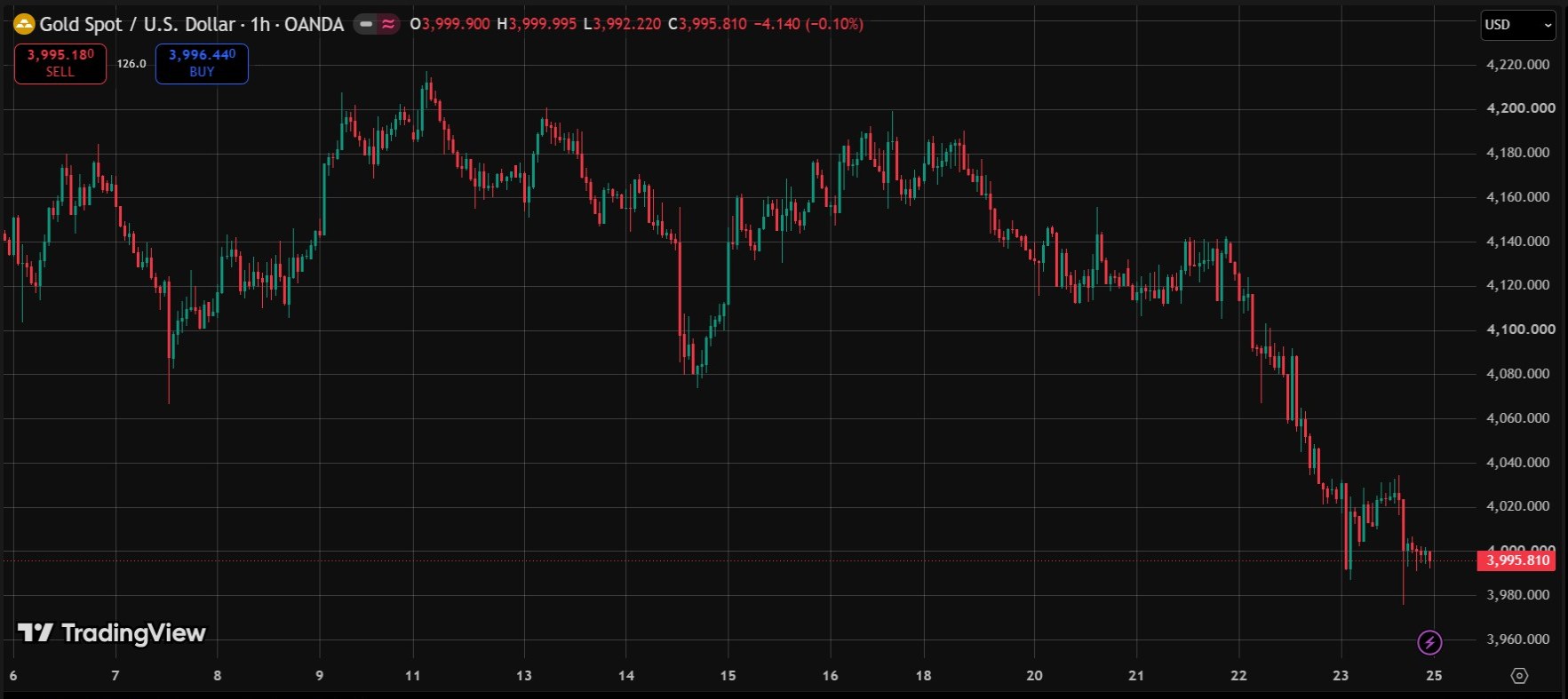
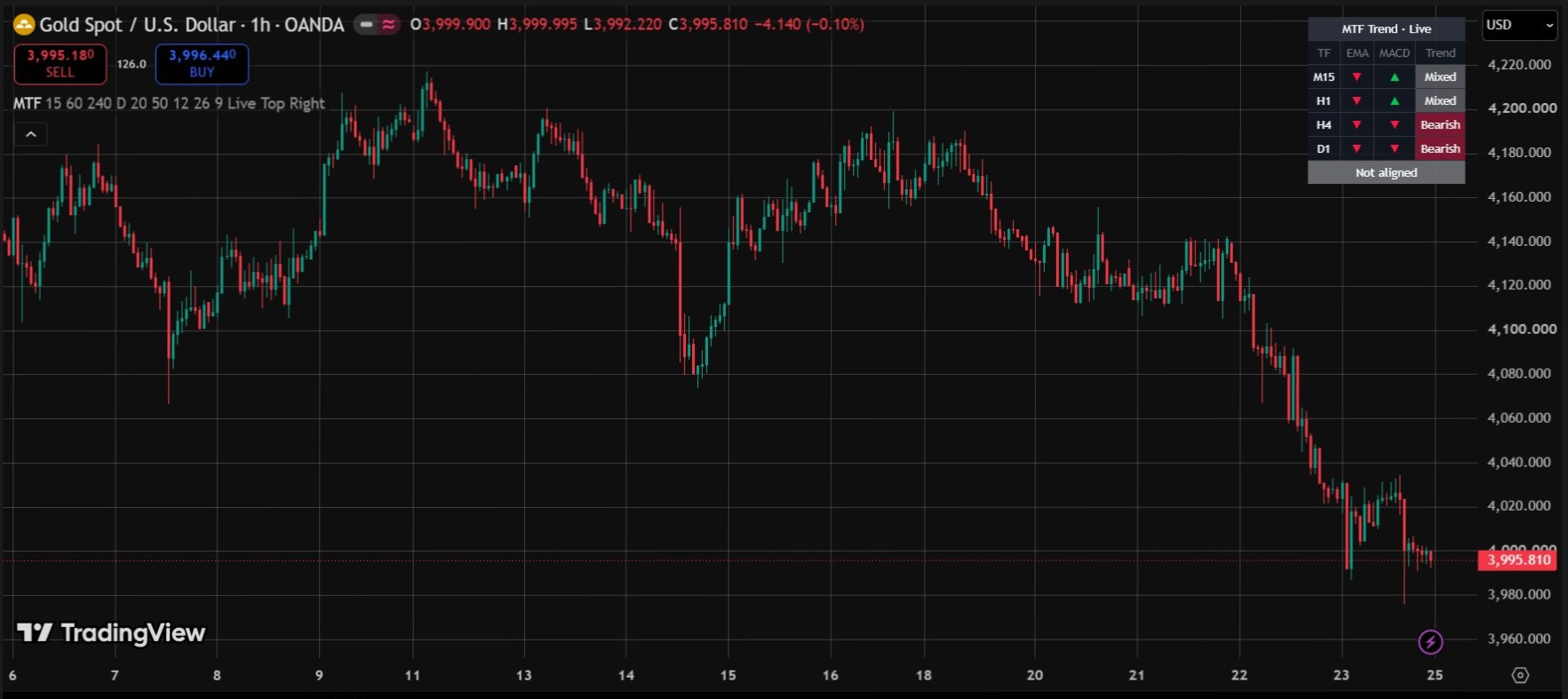
Real screenshots from a live TradingView chart. For education only, not a trading signal.
Premium Features & Alerts
- Clean and unobtrusive dashboard table, placed in any corner of the chart
- Trend of 4 timeframes (M15, H1, H4 and D1 by default, all changeable)
- EMA and MACD readings per timeframe with a color-coded Bullish, Bearish or Mixed result
- Customizable EMA and MACD lengths
- Choose Live data or Closed candles only for the higher timeframes
- Alerts when all 4 timeframes turn bullish or all 4 turn bearish
- Works on any symbol available in TradingView
Frequently Asked Questions
How is the trend of each timeframe decided?
For each timeframe the dashboard checks whether the fast EMA (20) is above the slow EMA (50) and whether the MACD line is above its signal line. If both are up it shows Bullish, if both are down it shows Bearish, otherwise Mixed.
What is the difference between Live and Closed candles only?
In Live mode the readings update with every tick and can change until the candle of that timeframe closes. In Closed candles only mode, each timeframe uses its last closed candle, so a reading does not change afterwards.
Which timeframes does it use?
It uses M15, H1, H4 and D1 by default. All four can be changed. Choose timeframes equal to or higher than your chart timeframe.
Does it have alerts?
Yes. It has alerts for when all 4 timeframes turn bullish, when all 4 turn bearish, and for either alignment. Alerts are checked when your chart candle closes.
Want This Custom Script?
Get this indicator installed on your TradingView/MT5, or let us build a completely custom strategy just for you.
Size Your Trades Properly
More Custom Indicators & Scripts
5-in-1 Pro Trend Confluence + MTF Dashboard
Trend, momentum and volatility in one clean indicator: 50 & 200 EMA, RSI, MACD and ATR, plus a trend dashboard for the 5m, 15m, 1H and 4H timeframes.
Smart Money Concepts (SMC) Pro Indicator
Automatically marks Order Blocks, Fair Value Gaps (FVG) and Liquidity Sweeps on your TradingView chart, with zone-touch alerts and an optional higher-timeframe filter.
Multiple Indicator Merge
A custom-coding service: we combine several of your indicators, for example EMA, RSI and MACD, into one TradingView script.