Custom 40-Pair Screener
ScannersScan 40 Forex, Gold and crypto pairs at once for the setup you choose (RSI, EMA, MACD or price action) and see the results in one table, with alerts.
The Logic & Theory
Watching dozens of charts by hand means missing setups. A screener checks the same rule on many symbols at once, so you only open the charts that meet it. A screener does not tell you which setups are good. It only finds the ones that match your rule, so the quality of the result depends on the rule you choose and on how you manage risk.
How Our Custom Tool Helps
This Pine Script v6 indicator scans 40 symbols at the same time and shows the result in a table on your chart. By default it covers 28 Forex pairs, Gold (XAUUSD) and 11 crypto pairs, and every symbol can be changed in the settings. You choose one condition: RSI Oversold or Overbought, EMA Cross Up or Down, MACD Cross Up or Down, a Breakout above the highest high or a Breakdown below the lowest low, or a Bullish or Bearish Engulfing candle. All pairs are scanned on your chart timeframe. For each pair the table shows price, RSI, EMA trend, MACD trend and a signal marker. The table is split into two blocks of 20 pairs side by side so that all 40 fit on your chart, and you can show only the pairs that have a signal. Alerts are checked when your chart candle closes, using the closed candle of every pair, so an alert does not change afterwards. The signal column can show the last closed candle (default) or the live candle, which may change until it closes. The script uses 40 data requests, which is the limit for one script, so it can take a few seconds to load. If you need other pairs or a different rule, we can build a custom version for you. The screener finds matches only. It is not a trading signal or financial advice.
Interactive Demo: See the Difference
Drag the slider left and right to see how this tool transforms your chart.
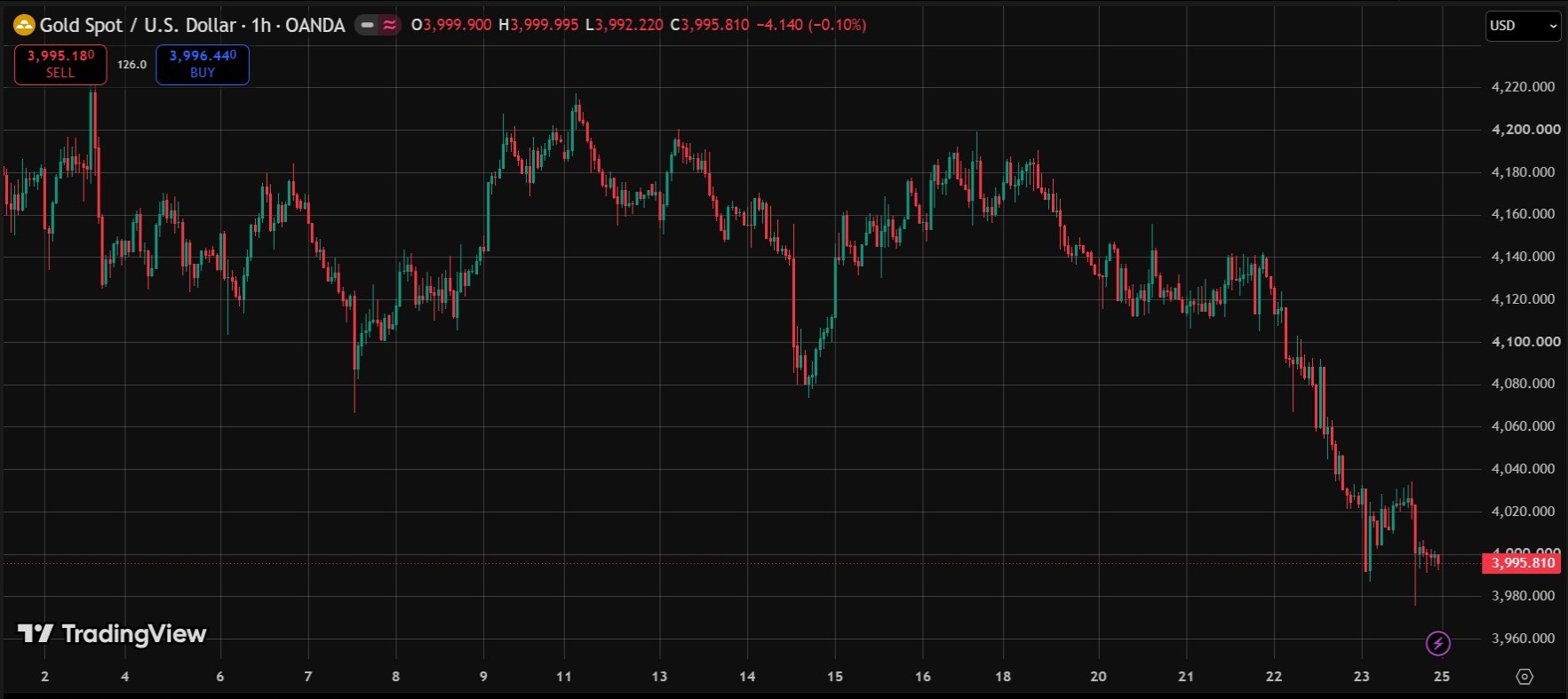
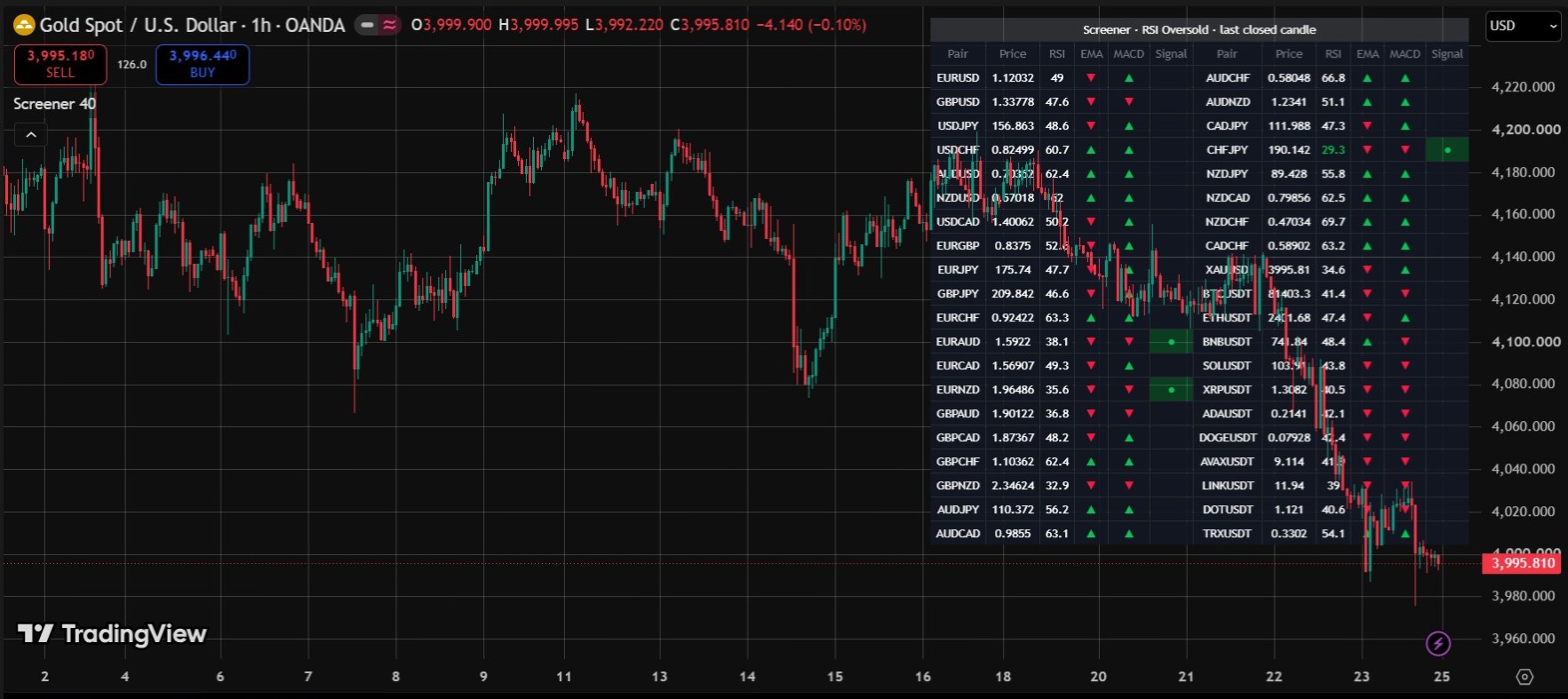
Real screenshots from a live TradingView chart. For education only, not a trading signal.
Premium Features & Alerts
- Scans 40 symbols at once (28 Forex pairs, Gold and 11 crypto pairs by default, all changeable)
- 10 built-in conditions: RSI, EMA cross, MACD cross, breakout or breakdown, and engulfing candles
- Table on your chart with price, RSI, EMA trend, MACD trend and a signal marker
- Option to show only the pairs that have a signal
- Alerts on candle close that list the pairs that triggered
- Signal column can show the last closed candle or the live candle
- Custom versions with your own pairs and rules available on request
Frequently Asked Questions
How many pairs can the screener scan?
It scans up to 40 symbols at once, which is the data request limit for a single TradingView script. All 40 symbols can be changed in the settings.
Which conditions can I scan for?
You can choose one at a time: RSI Oversold, RSI Overbought, EMA Cross Up, EMA Cross Down, MACD Cross Up, MACD Cross Down, Breakout Above Highest High, Breakdown Below Lowest Low, Bullish Engulfing or Bearish Engulfing. The RSI levels, EMA lengths and look-back period can be adjusted.
Does the screener repaint?
Alerts are checked only when your chart candle closes, using the closed candle of every pair, so they do not change afterwards. The table shows the last closed candle by default. If you switch it to the live candle, the signals can change until that candle closes.
How do the alerts work?
Create an alert from the indicator and choose Any alert() function call to receive a message that lists the pairs that met your condition. There is also a fixed-message alert called Any Pair Triggered.
Which timeframe does it scan?
All symbols are scanned on the timeframe of your chart.
Want This Custom Script?
Get this indicator installed on your TradingView/MT5, or let us build a completely custom strategy just for you.
Size Your Trades Properly
More Custom Indicators & Scripts
5-in-1 Pro Trend Confluence + MTF Dashboard
Trend, momentum and volatility in one clean indicator: 50 & 200 EMA, RSI, MACD and ATR, plus a trend dashboard for the 5m, 15m, 1H and 4H timeframes.
Smart Money Concepts (SMC) Pro Indicator
Automatically marks Order Blocks, Fair Value Gaps (FVG) and Liquidity Sweeps on your TradingView chart, with zone-touch alerts and an optional higher-timeframe filter.
Multiple Indicator Merge
A custom-coding service: we combine several of your indicators, for example EMA, RSI and MACD, into one TradingView script.